

📝 Disclaimer: The content on this site is for informational and educational purposes only and does not constitute professional electrical, engineering, or technical advice. Always exercise caution, follow manufacturer guidelines, and consult a certified technician before attempting any hardware repairs, modifications, or installations.
* This post may contain affiliate links. As an Amazon Associate, we earn from qualifying purchases at no extra cost to you.
* This site uses AI technology for content assistance and illustrative imagery. Images are for demonstration purposes and do not depict real people or events.

Zebra Pattern as a Camera Exposure Display
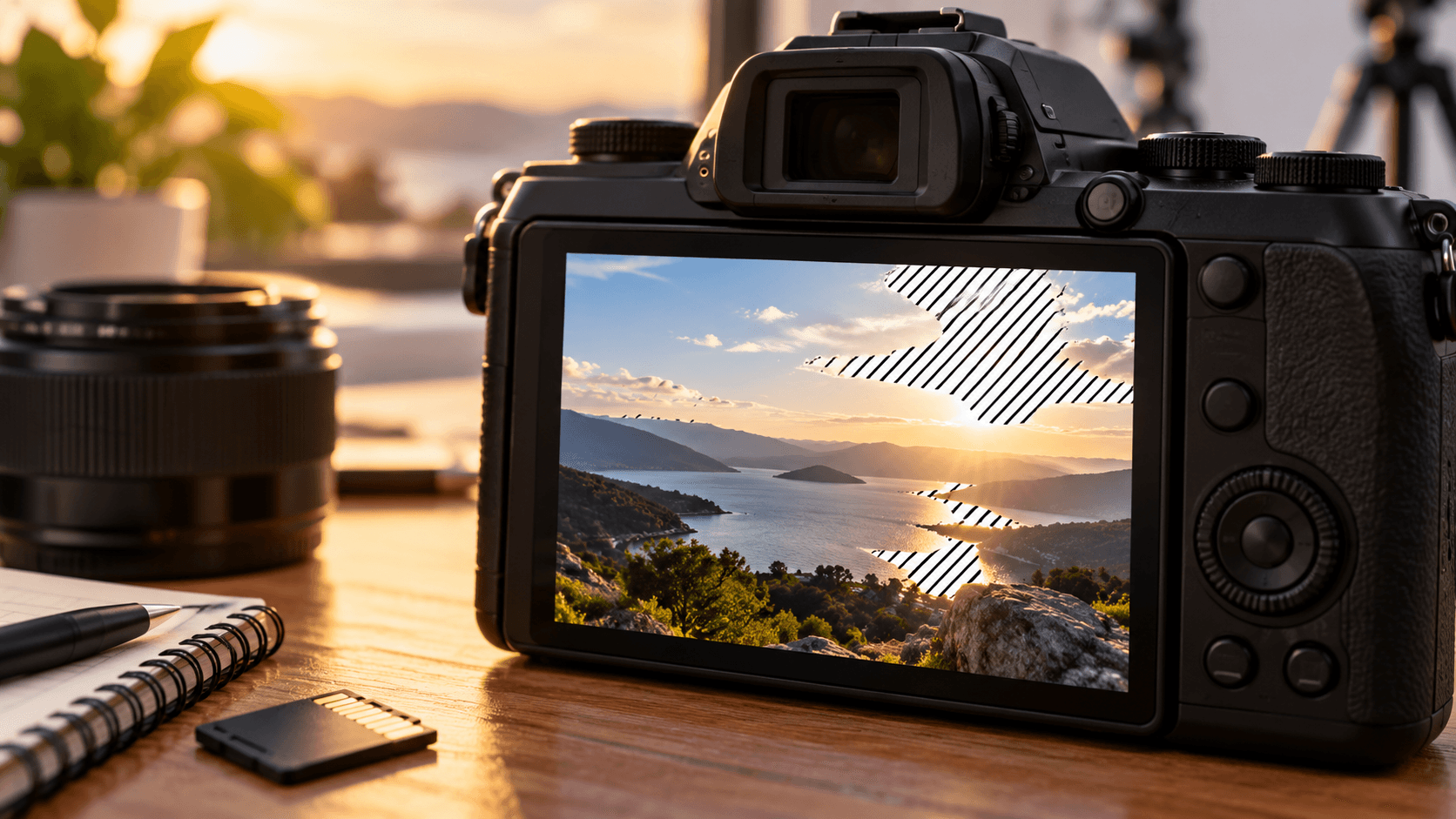
Zebra pattern is an on-screen camera aid that marks areas of an image according to selected brightness thresholds. The marked regions may appear as diagonal stripes or another graphic overlay in an electronic viewfinder or LCD display. These stripes are not recorded in the final image; they are a temporary visualization used during framing and exposure evaluation.
The term belongs to camera monitoring and exposure vocabulary rather than to a particular sensor type. Its behavior depends on the camera’s image-processing system, display interface, and selected threshold settings.
How the Feature Represents Brightness
A camera evaluates luminance information across the live image and identifies regions that fall within a specified range. The overlay then places a striped pattern over those regions. Depending on the camera system, zebra displays may correspond to a percentage-based video signal level, a reference brightness value, or a skin-tone monitoring range.
This visualization is separate from the captured pixels. It does not change the sensor output, alter the recorded file, or add stripes to photographs and video. It functions as a monitoring layer alongside other tools such as a histogram, waveform display, or highlight warning.
Common Uses in Imaging Discussions
Zebra pattern terminology frequently appears in camera manuals, production documentation, and specifications for mirrorless cameras, cinema cameras, and professional video equipment. It is especially associated with evaluating bright portions of a scene, including reflective surfaces, illuminated backgrounds, and areas approaching the upper range of a recording signal.
Different cameras can present the feature in different ways. Some systems provide one threshold, while others offer multiple ranges or assign separate meanings to different zebra levels. The visual overlay can also vary in color, line density, and coverage behavior.
Relationship to Other Exposure Tools
A zebra display shows where selected brightness conditions occur within the image, while a histogram presents brightness distribution across the entire frame. A waveform monitor represents signal levels by image position, and highlight warnings commonly identify areas near a clipping boundary. These tools describe related aspects of image brightness but use different visual formats.
The interpretation also depends on recording profile, gamma curve, color processing, and the camera’s measurement conventions. A zebra overlay should therefore be understood as a camera-specific monitoring term rather than a universal indicator with identical meaning across all equipment.
Technical Observations
- Overlay graphic: A temporary striped pattern appears over selected image regions in the viewfinder or display.
- Brightness threshold: The camera identifies luminance ranges associated with a configured monitoring level.
- Live-view function: The pattern belongs to the preview interface and is generally separate from recorded image data.
- Video terminology: Zebra levels are often discussed using signal percentages or reference brightness values.
- Processing dependency: The displayed result can relate to the camera’s gamma, picture profile, and internal image processing.
- Related tools: Histograms, waveform monitors, and highlight warnings provide different visual representations of image brightness.
